class: middle, center git ??? little word, lot of power anyone used it? --- class: middle # Agenda: 1. [Install Git](#install) 2. [What is Version Control?](#version-control) 3. [Basic Git Usage](#usage) 4. [The Philosophy of Git](#philosophy) 5. [More Practice](#practice) --- class: middle, center name: install # Install Git ```sh $ brew install git ``` --- name: version-control class: middle # What is Version Control? - .eight[Track History] to see your changes over time and revert if mistakes were made - .eight[Branch] into different versions to work in parallel - .eight[Collaborate] with others to create anything from small websites to large programs ??? SCM: Source Code Management VCS: Version Control System So why is this important? --- class: middle, center # .eleven[Have you ever lost a paper and had to start over?] --- class: middle, center # .eleven[Have you ever worked on something for a while and wished you could undo back to a certain point in time?] --- class: middle, center # .eleven[How did your last group project go?] --- class: middle, center 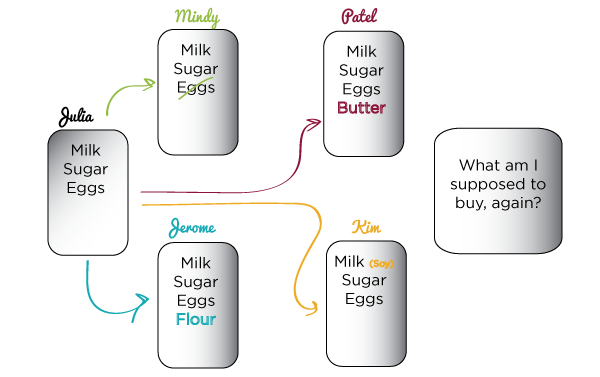 ??? You're making christmas cookies with friends, so you make a grocery list with them to buy for the party next week. Then a friend has eggs. Two others add forgotten ingredients. One has a lactose allergy and tweaks the milk. How do you track all this? --- class: middle, center 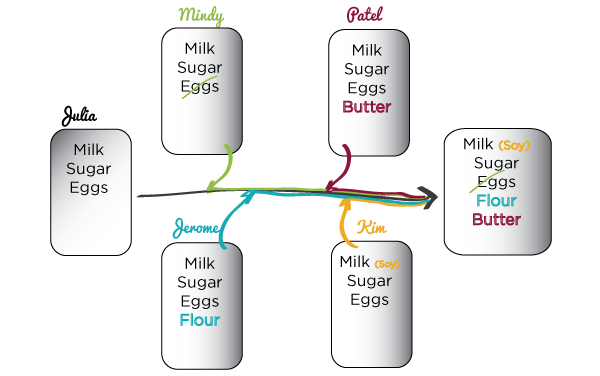 ??? If you used version control, you and your friends could all be up to date on the grocery list as it changed. There'd be no confusion. There's tools for this already, you've probably used them, shared calendars and note-taking apps, Google Docs, etc. But now you're entering the world of code and it's gonna get more complicated. --- class: middle, center  ??? Enter git Not github --- class: middle, center # .eleven[Not]  --- class: middle # Short History 1. Linux operating system created in 1991 by Linus Torvalds 2. Changes were passed around as patch files over email 3. Switched to a proprietary DVCS in 2002 called BitKeeper 4. Had to start paying for it 2005, so they ditched it and built their own ??? Distributed VCS --- name: usage class: middle, center # How does it work? --- class: middle # Generic Workflow 1. Create a .eight[Repository] for your project 2. .eight[Add] files for git to track them 3. .eight[Commit] your files when you're done working on them 4. Make .eight[Branches] for experimental work 5. .eight[Checkout] commits or branches to look at different versions of your code ??? I don't mean specific versions like 10.13.05, I just mean generic version where something is different on mine compared to yours. --- class: middle # Team Workflow 1. Share your .eight[Repository] 2. .eight[Push] your commits so others can get your code 3. .eight[Pull] any new commits created by your team so you can update your code with new changes 4. Resolve .eight[Merge Conflicts] that might happen when changes happen at the same time --- # First Things First Git should be installed by now, so now we configure it. ```bash $ git --version git version 2.23.0 $ git config --global user.name "Your Name" $ git config --global user.email your@email.com ``` --- # .eight[Config] - A place to store your settings - System, .eight[User], and .eight[Local] settings - `/etc/gitconfig` .eleven[<] `~/.gitconfig` .eleven[<] `.git/config` ```bash $ git config -l $ git config core.editor ``` ??? You might see vim, if you don't want that you can change it to nano. --- # .eight[Init] Create a Repository ```bash $ cd ~ $ mkdir my-repo $ cd my-repo $ git init ``` .eleven[You only need to do this once.] --- # .eight[Status] See the three states of your files ```bash $ git status On branch master No commits yet nothing to commit (create/copy files and use "git add" to track) ``` .eleven[You'll be typing this all the time.] --- # Make Changes ```bash $ echo "Hello World" > fileA.txt $ git status ... Untracked files: (use "git add <file>..." to include in what will be committed) fileA.txt ``` ??? New section to show status change of your file. --- # .eight[Add] Move changes to .eight[Staging Area] ```bash $ git add fileA.txt $ git status ... Changes to be committed: (use "git rm --cached <file>..." to unstage) new file: fileA.txt ``` --- # .eight[Commit] Save a snapshot of the repository ```bash $ git commit $ git status On branch master nothing to commit, working tree clean ``` --- class: middle, center # File Lifecycle 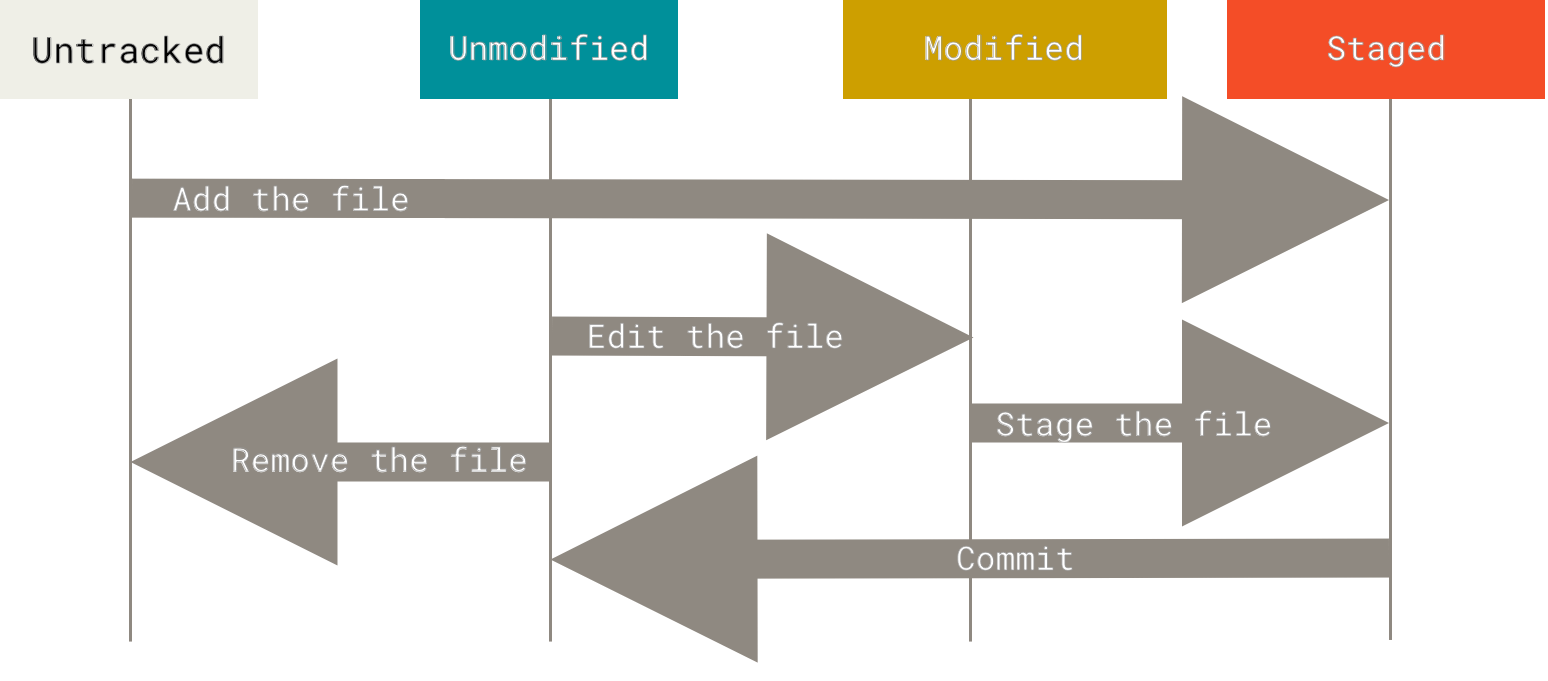 --- # .eight[Diff] See differences between working directory and the commited repository ```bash $ echo "goodbye" >> fileA.txt $ git diff $ git status ``` --- # Save Modifications ```bash $ git add fileA.txt $ git status $ git commit -m "Changed file A" $ git status ``` --- # .eight[Log] See the repo history ```bash $ git log ``` --- class: middle # .eight[Clone] Copy a remote repository ```bash $ cd ~ $ git clone https://github.com/ts-cset/cset-105.git $ cd cset-105 ``` --- class: middle, center # Practice ## [Codecademy - Learn Git](https://www.codecademy.com/learn/learn-git) --- class: middle, center 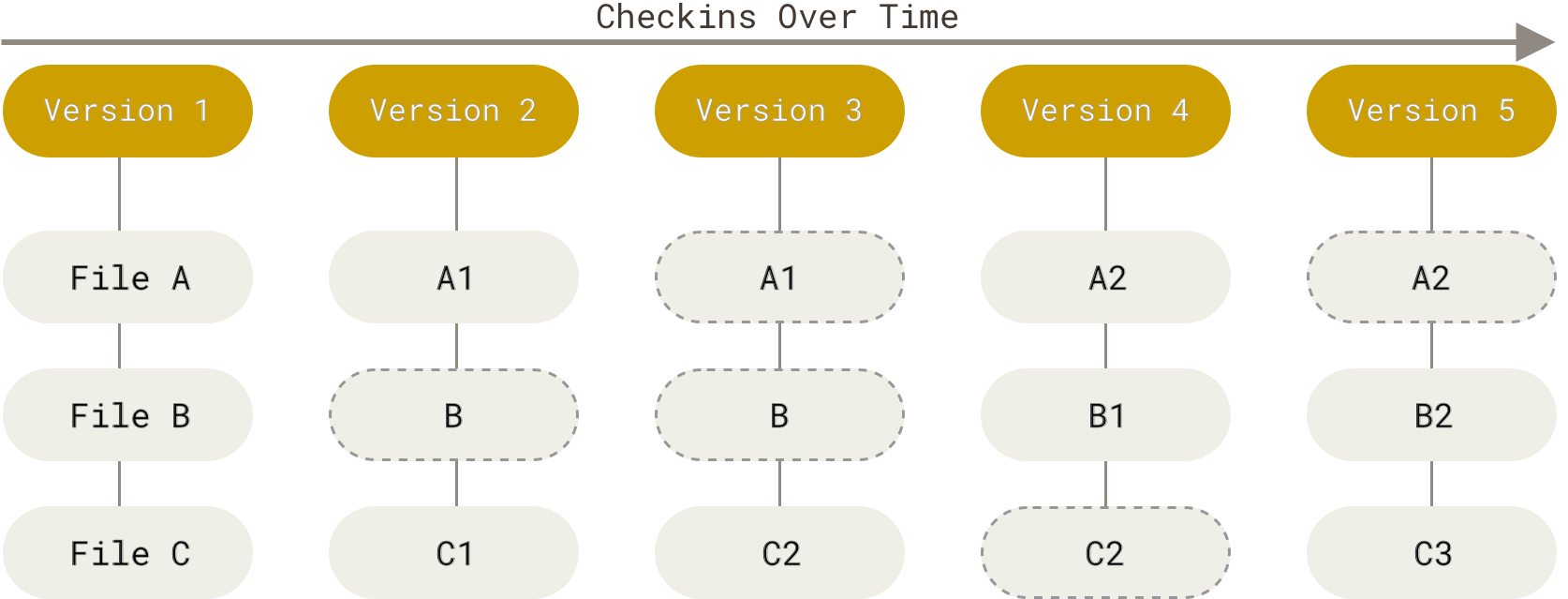 ??? Snapshots over time. Every time you commit, or save, git takes a picture of what your files look like and stores a reference to that snapshot. For efficiency, git doesn't care about anything that hasn't changed. So your project turns into a series of changes, like a flipbook. --- class: middle, center 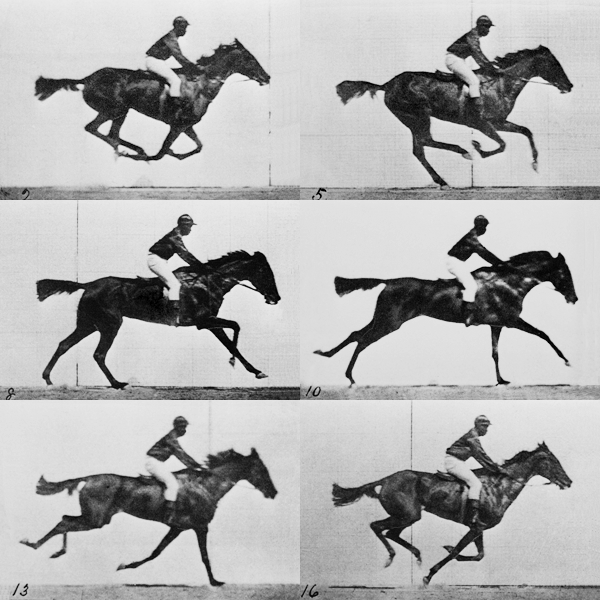 --- class: middle # Git Philosophy - Streams of Data - Everything is Local - Data Integrity ??? We already talked about the first two. Everything is check-summed before it's stored and then referred to by that checksum. Fancy way to mean it's impossible to change anything without git knowing about it. --- class: middle # SHA-1 Hash ```bash 24b9da6552252987aa493b52f8696cd6d3b00373 ``` ??? Git stores everything by this instead of the name. Think of it like a code. Your file is the input, this is the output. You change your file, this changes. --- class: middle # The Three States - .eight[Commited]: the file is stored safely in git's database - .eight[Modified]: the file has changed from the last commit - .eight[Staged]: the modified file has been marked to be included in the next commit snapshot --- class: middle # The Three Sections - .eight[Git Directory]: holds the project's metadata and history - .eight[Working Directory]: a single snapshot of one version of the project, pulled from the database for you to use/modify - .eight[Staging Area]: a single file in the git directory that stores info about what is going into your next commit --- class: middle, center 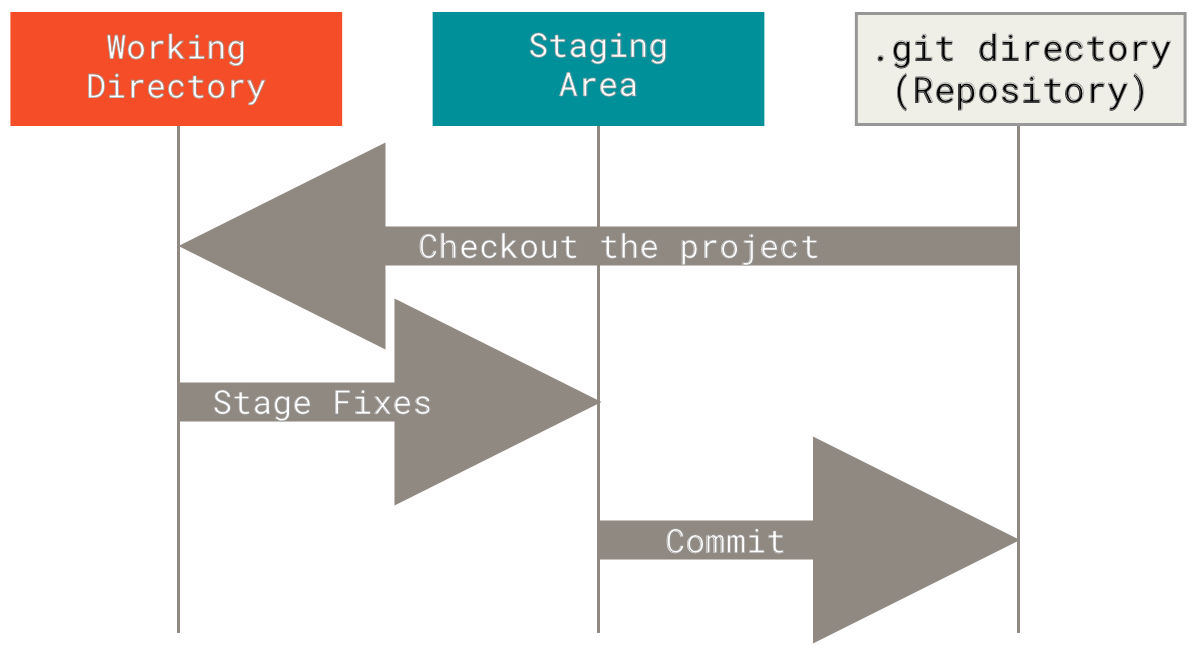 ??? 1. checkout the project from the database 2. make changes in working directory 3. pick the changes you want to store 4. commit them --- # More Practice - [Official Book - Pro Git](https://git-scm.com/book/en/v2) - [Atlassian Tutorial - Getting Started](https://www.atlassian.com/git/tutorials/setting-up-a-repository) - [Github Guide](https://guides.github.com/introduction/git-handbook/) - [Github Practice - Git-it](https://github.com/jlord/git-it-electron#what-to-install) --- # Next Week - Pushing and Pulling remotes - Branching and Merging - Forking and Pull Requests - Undoing Things - How to use Github