class: middle, center Collaborating with Git --- # Quick Tip: .eight[Help] ```bash $ git help # provides list of common commands $ git help <command> # provides man page for specific command $ git help add ``` ??? Frequently, you'll see a word in angle brackets in the man pages. No, this isn't an HTML tag. Wrong class. It's a variable, it means replace this entire thing with what you actually want. --- class: middle, center  --- # Central Repositories - .eight[Redundancy]: imagine your hard drive fails... - .eight[Convenience]: imagine our connected repos, but your computer is off... - .eight[Security]: imagine your computer constantly accepting changes from everyone... --- # Remote Repositories - Create, view, and delete connections to other repos - Kind of like a bookmark for a URL - Sharing between remotes is not automatic ??? URLs aren't easy to remember or use. We need to pull upstream commits into local repo and push local commits back up to central repo. --- class: center 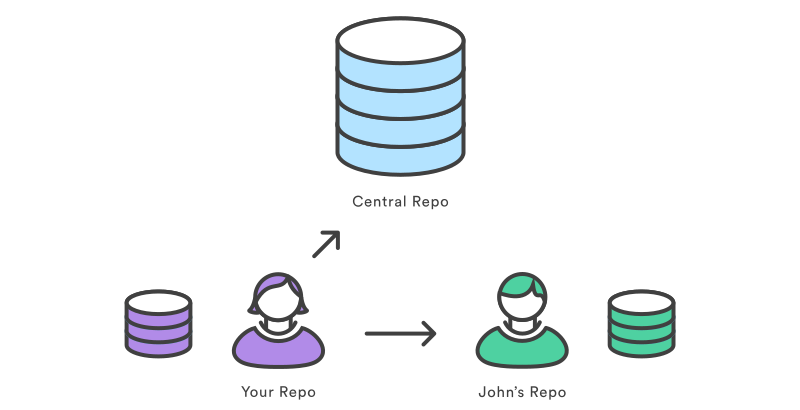 # `origin & john` --- # .eight[Remote] ```bash $ git remote # lists remote connections $ git remote -v # lists remote connections, including URLs (it's Verbose) ``` --- # Repo URLs Compare the following Repo URLs ```bash http://host/path/to/repo.git ssh://user@host/path/to/repo.git ``` ??? New protocol. Host is just computer name, like github.com. HTTP is useful for anonymous read-only SSH is way more secure. You authenticate in order to have write access --- # .eight[Origin] - .eight[git clone] automatically creates a remote pointing at the original - That remote is called .eight[origin] - Use the origin to pull .eight[upstream] changes or publish your own --- # .eight[Remote] ```bash $ git remote add <name> <URL> # adds a new remote, for example: # git remote add origin https://github.com/ts-cset/cset-105.git $ git remote show <name> # shows details about remote ``` ??? Also git remote remove and rm, which are self-explanatory, but seldom used --- # Try it! ```bash $ cd ~/my-repo $ git remote -v $ cd ~/cset-105 $ git remote -v ``` --- class: center, middle  --- # Syncing with Fetch - Downloads commits and .eight[refs] into your local repo - Doesn't make any changes to your working directory - View these changes by using .eight[git checkout] command - Safer of the two options --- class: center, middle # Branches  --- # .eight[Branch] - Bookmark for a specific commit - That commit knows it's history, not the branch - Think of a branch as a series of commits, not a container for commits --- # .eight[Branch] ```bash $ git branch # lists local branches $ git branch -r # lists remote branches $ git branch -a ``` --- # .eight[Fetch] ```bash $ git fetch # fetches all branches $ git fetch <remote> <branch> # fetches a specific remote branch ``` --- # Try it! ```bash $ cd ~/cset-105 $ git status $ git fetch origin $ git status ``` --- class: center # Advanced Topic Read up on how to use fetch, checkout, log, and merge to get changes safely: [Advanced Git Fetch](https://www.atlassian.com/git/tutorials/syncing/git-fetch) --- # .eight[Pull] - Downloads commits and refs into your local repo - Immediately updates your working directory to match - Shortcut for .eight[git fetch; git merge] - Destructive, but easier to learn ??? Totally fine to use now, if it's easier for you --- class: center, middle 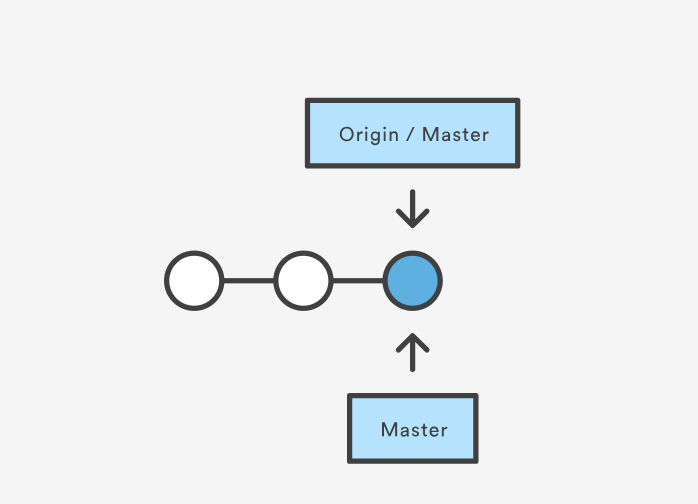 --- 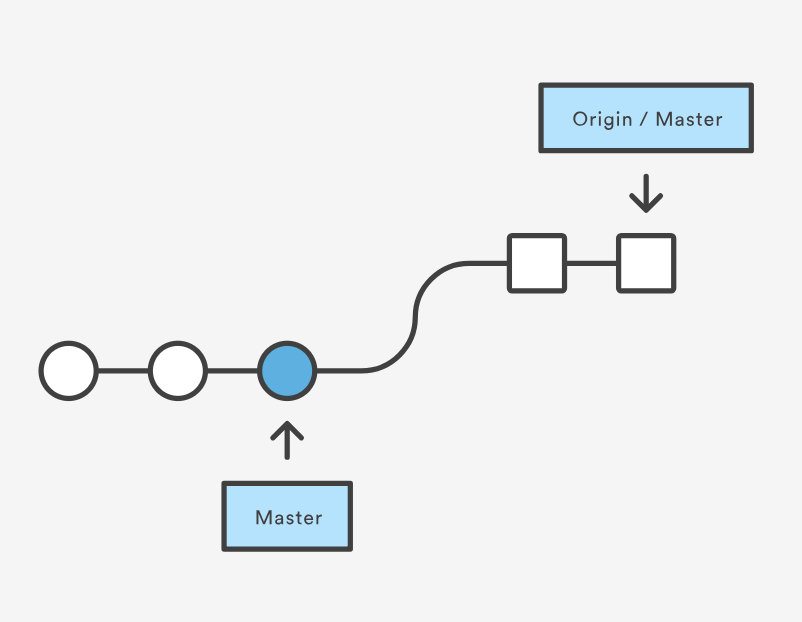 --- class: center, middle 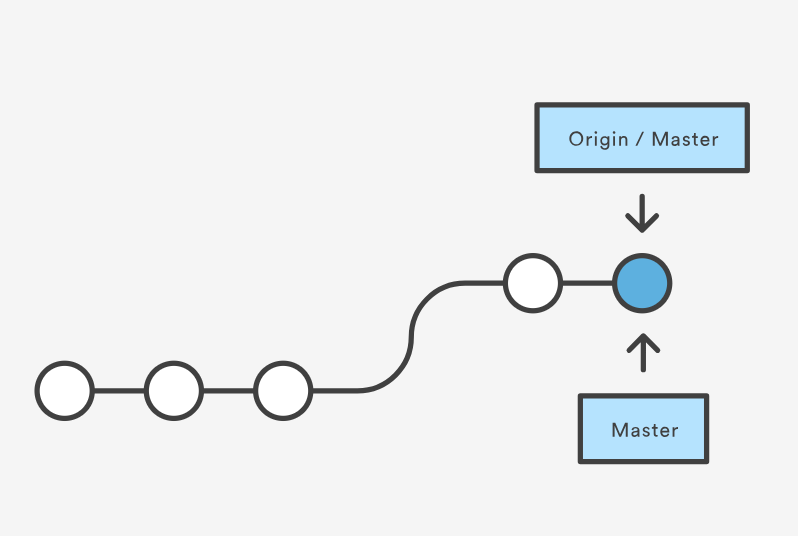 --- # Try it! ```bash $ git pull # fetches and merges changes $ git status # should say up to date with origin/master ``` --- # 3-Way Merging  --- # Advanced Topic Read up on how to resolve conflicts that happen when merging: [Advanced Git Merge](https://www.atlassian.com/git/tutorials/using-branches/git-merge) --- # Practice - Do to [LearnGitBranching.js.org](https://learngitbranching.js.org/) - Complete "Introduction Sequence" on Main tab - Complete "Push & Pull -- Git Remotes" on Remote tab --- class: center, middle # Tomorrow We'll learn all about Github!