class: middle, center more git --- 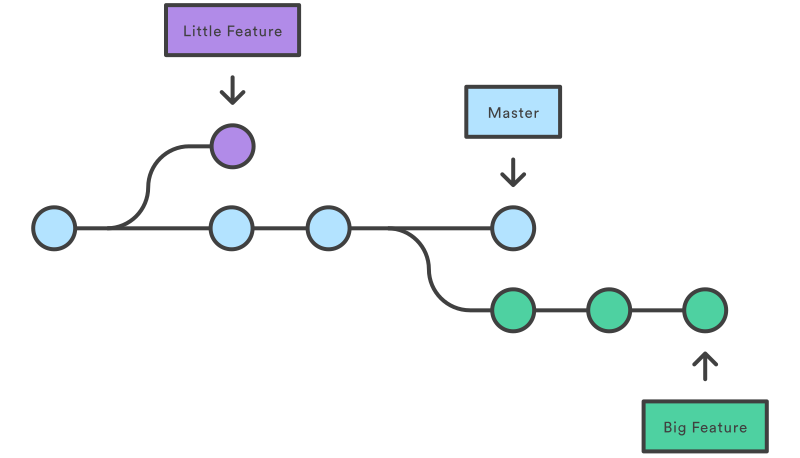 --- class: center, middle # .eight[A branch represents an independent line of development.] --- class: middle, center  --- class: middle ```bash $ git branch crazy-experiment ``` --- class: middle, center 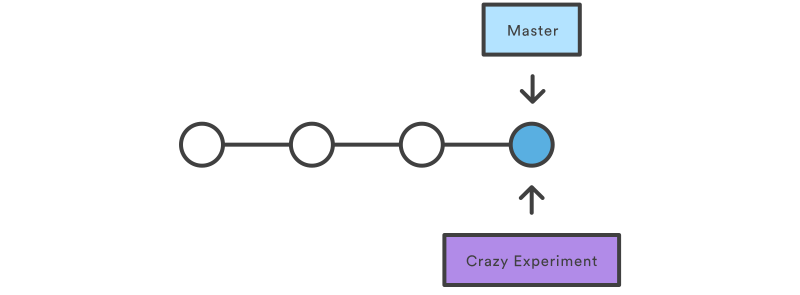 --- class: center, middle # .fouteen[Why Use Branches?] --- # Use Branches to Encapsulate Changes - Avoids new unstable code in main code base - Clean up history before merging - Work in parallel --- class: center, middle # .fouteen[How Do We Use Branches?] --- class: middle ```bash $ git checkout -b <new-branch> $ git checkout <existing-branch> ``` ??? By default, bases off of current HEAD --- # Checkout Updates `HEAD` - `HEAD` refers to the current snapshot - Branch (which points at a Commit) or Commit - New Commits are part of a Branch's line of development - New Commits can't exist outside of a line of development --- class: middle, center # .eleven[When you are in a Detached HEAD, there's no way to reference new Commits.] --- class: middle, center 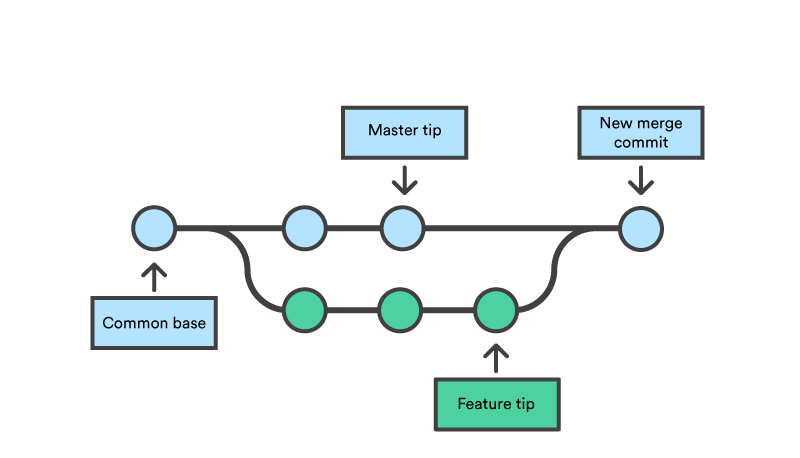 --- class: middle, center # Merging Branches is merging two different lines of development. --- # Two Types of Merge - .eight[Fast Forward Merge]: linear update to target branch - .eight[Three Way Merge]: non-linear combination of source and target branches --- class: middle, center 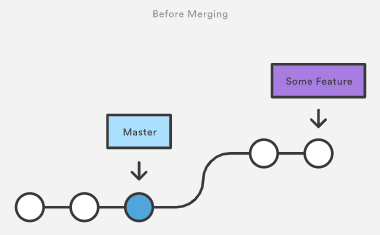 --- class: middle, center  --- class: middle, center  --- class: middle, center  --- class: middle, center # .fourteen[But what if the merge breaks?] --- # Conflict Resolution ## [Practice fixing merge conflicts](https://www.atlassian.com/git/tutorials/using-branches/merge-conflicts) --- class: center, middle # .fourteen[What Makes A Good Commit Message?] --- - .eleven[made some edits] - .eleven[changed h1 to h2] - .eleven[worked on new search feature] - .eleven[oops] --- class: middle, center # The commit is all of your code changes. # .eight[The commit message tells you why.] --- # Proper Commit Messages - Short imperative summary (Email Subject) - Followed by detailed explanation (Email Body) - .eleven[Separated by a blank line!] [Tim Pope: A Note About Git Commit Messages](https://tbaggery.com/2008/04/19/a-note-about-git-commit-messages.html) --- class: middle, center # .fourteen[Why do I keep seeing .DS_Store files?] --- # git rm - The opposite of `git add` - Remove files tracked by git - Or remove files from both the staging area and the working directory --- # Let's Remove Them If you already commited a file and want to remove it from history AND delete it: ```bash $ git rm path/to/file ``` If you want to remove from git but keep the file on your machine: ```bash $ git rm --cached path/to/file ``` --- class: middle, center # .fourteen[Uh... I still see .DS_Store files.] --- # Let's Ignore Them In your terminal: ```bash $ git config --global core.excludesfile ~/.gitignore_global ``` --- # Let's Ignore Them - A .eight[gitignore] file specifies intentionally untracked files to ignore - Usually project specific in a file at `my-project/.gitignore` [Github's gitignore templates](https://github.com/github/gitignore) --- class: center, middle [Practice Merge Conflicts in Remote Branches](lab_merge-conflicts.html) --- class: center, middle [Practice Viewing Commit History](https://git-scm.com/book/en/v2/Git-Basics-Viewing-the-Commit-History)