class: middle, center # Document Structure --- class: middle, center  ??? todo: --- # Elements So Far - `<p>` - `<img>` - `<input>` - etc. .eight[Describe individual parts of your page.] --- class: middle, center # .eight[Structural Elements] ??? But first, we have to learn about a distinction between different types of elements --- class: middle # What will this render? ```html <a href="#one">Jump to Section One</a> <a href="#two">Jump to Section Two</a> ``` --- class: middle, center # Option 1  # Option 2 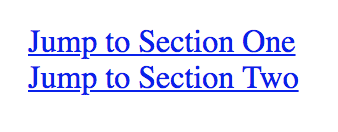 --- class: middle # What will this render? ```html <input type="text" placeholder="email"> <input type="text" placeholder="password"> ``` --- class: middle, center # Option 1  # Option 2 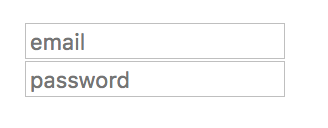 --- class: middle # What will this render? ```html <p>Lorem ipsum dolor sit amet, consectetur adipiscing elit</p> <p>Lorem ipsum dolor sit amet, consectetur adipiscing elit</p> ``` --- class: middle, center # Option 1  # Option 2  --- class: middle, center # See the examples [here](document-structure-examples.html) --- class: middle, center # .eight[Why is there a difference?] ??? Because HTML makes a distinction between different categories of content. --- class: middle, center # Inline Elements # vs. # Block Level Elements ??? HTML has a concept called Flow. As the browser reads your code, it finds an element and needs to insert that into the viewport. That's why things written first appear at the top. More than that, though, is the rules applied to those elements and what can fit inside other elements. --- class: middle # .eight[Inline Elements] ## Describe small parts of your content and will not cause a new line to appear. ??? They are often found within paragraphs. --- class: middle, center # .eight[Block Level Elements] ## Describe blocks, or areas, of your page and will be on a separate line from what precedes it and follows it. --- class: middle, center # Let's make a list! --- # Nested Inline Elements - can have inline parents - can have block level parents --- # Nested Inline Elements ```html <p><strong>Don't forget to <a href="#">click here</a></strong></p> ``` output: 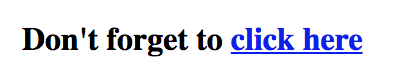 --- # Nested Block Elements - can have block level parents --- # Nested Block Elements ```html <div> <p>Lorem ipsum dolor sit amet, consectetur adipiscing elit</p> </div> ``` output:  --- class: middle, center A good guideline: # .eleven[Never] Nest Block Elements Inside Inline Elements --- class: middle ```html <a href="#"> <h1>My Resume</h1> </a> ``` ??? Now you might be noticing a trend with these code samples. Sometimes I have tags indented on new lines and sometimes I don't. --- # When in doubt, check the docs! <img alt="MDN's reference page shows the permitted content" src="images/permitted-content.png" width="80%" /> --- class: middle # What will this render? ```html <p>Lorem ipsum dolor sit amet, consectetur adipiscing elit</p> <p>Lorem ipsum dolor sit amet, consectetur adipiscing elit</p> ``` --- class: middle, center  --- class: middle, center # .eight[Your browser will trim consecutive whitespace characters to a single character.] --- class: middle ```html <p>Lorem ipsum dolor sit amet, consectetur adipiscing elit</p> ``` # is actually ```html <p>Lorem•ipsum•dolor•••••••sit•amet,↵ ⇒⇒⇒⇒consectetur•adipiscing•elit</p>↵ ``` --- # Whitespace Characters - `•` = Space - `⇒` = Tab (also .eight[\t]) - `↵` = New Line (also .eight[\n]) --- class: middle ```html <p>Lorem•ipsum•dolor•••••••sit•amet,↵ ⇒⇒⇒⇒consectetur•adipiscing•elit</p>↵ ``` # gets converted to ```html <p>Lorem•ipsum•dolor•sit•amet,•consectetur•adipiscing•elit</p>\n ``` --- # Code Convention - Inline Elements stay on the same line - Block Level Elements get new lines - Child Block Level Elements are indented from their parents - Similar sibling elements are separated by extra new lines --- ```html <div> <p>Lorem ipsum dolor sit amet, <strong>consectetur</strong> adipiscing elit</p> <!-- New Line --> <p>Ut enim ad minim veniam, quis nostrud exercitation ullamco</p> </div> ``` --- class: middle, center # .eleven[Semantics is not Style] ??? We already learned this, but let's look at some examples. --- class: middle ```html <h1>Some Page Heading</h1> <strong>Some Page Heading</strong> ``` --- class: middle, center 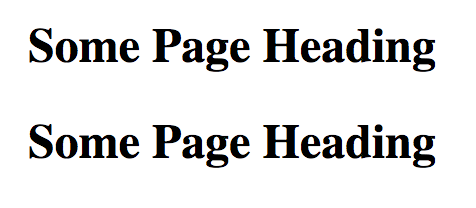 --- class: middle ```html <ol> <li>Thing 1</li> <li>Thing 2</li> </ol> ``` --- class: middle, center 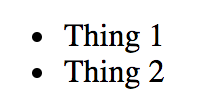 --- class: middle ```html <ul> <li>Some Thing</li> <li>Other Thing</li> </ul> ``` --- class: middle, center 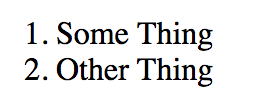 --- class: middle, center # Style is CSS ## .eight[The meaning we give to something is different than the visuals we use to convey that meaning.] --- class: middle, center # .eleven[Structure is not Style] --- class: middle, center # CSS has its own idea of Inline and Block ??? We won't worry about that yet. --- class: middle, center # .eleven[Changing the style doesn't change the category] It doesn't affect which elements it can contain and which elements it can be contained in. --- # HTML4 vs HTML5 HTML4: Inline and Block HTML5: Phrasing and Flow ... and more [HTML5 Element Categories](https://html.spec.whatwg.org/multipage/indices.html#element-content-categories) --- # .eight[Lab] # Let's Plan a Simple Website --- # .eight[Lab] - Read through this [MDN Article](https://developer.mozilla.org/en-US/docs/Learn/HTML/Introduction_to_HTML/Document_and_website_structure) on Document and Website Structure. - Learn to use the elements listed. - Follow the exercises and hand in your work.