class: middle, center # Floats --- # Layouts with Float? [MDN: Floats](https://developer.mozilla.org/en-US/docs/Learn/CSS/CSS_layout/Floats) - Originally, just for floating images and having text wrap around it - We hacked it to float everything, creating multi-column layouts - CSS3 gave us some new layout options - Now floats are back to their original purpose: images --- # Remember, CSS is a Spec - CSS3 is newest version, broken into modules - Meaning old specs have changed or aren't used anymore - Also, new specs might not work everywhere: Check [caniuse.com](https://caniuse.com) --- class: middle, center And even if it's supported in a browser, it might not look the same... # [The div that looks different in every browser](https://twitter.com/Martijn_Cuppens/status/1015169981368225793) --- # Why learn legacy CSS? 1. You will definitely still see it. 2. You might have to support a legacy browser. 3. You might have to update a legacy project. --- class: middle, center # [MDN: Legacy Layout Methods](https://developer.mozilla.org/en-US/docs/Learn/CSS/CSS_layout/Legacy_Layout_Methods) --- # Floating Content - Original use case - Usually images 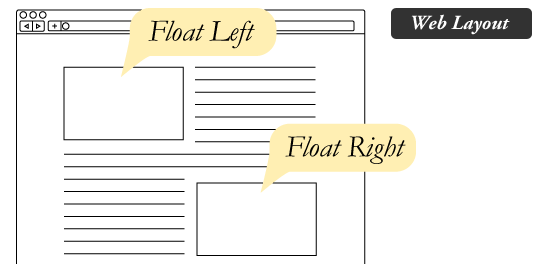 --- # Floating Sidebar - Left + Left? - Left + Right? - Right + Left? - Right + Right? # [Codepen Example](https://codepen.io/zachfedor/pen/MWgLxoG?editors=1100) --- # Floating Columns - Horizontally stacking blocks within a container - Can be any element, usually block level elements - Don't forget `box-sizing: border-box;` to make math easier # [Codepen Example](https://codepen.io/zachfedor/pen/aboXMpP?editors=1100#0) --- # .fourteen[Exercise] # [Interneting Is Hard: Floats](https://internetingishard.com/html-and-css/floats/) --- # More Resources: - [CSS-Tricks: All About Floats](https://css-tricks.com/all-about-floats/) - [A List Apart: CSS Floats 101](https://alistapart.com/article/css-floats-101/)